Estimated Reading Time: 8 minutes
Now here’s what those numbers don’t say out loud. The ROI shows up because you stop relying on supervisors to see everything. Your front-line leaders own compliance, but they can’t be in five places at once… so the system gives them the heads-up they need to coach in the moment, which is exactly the kind of feedback loop a data-driven safety program is built on.
Pair the data with strong trend analysis and you stop guessing at root causes. You watch a pattern build for three weeks before it becomes an incident, and you act on it.
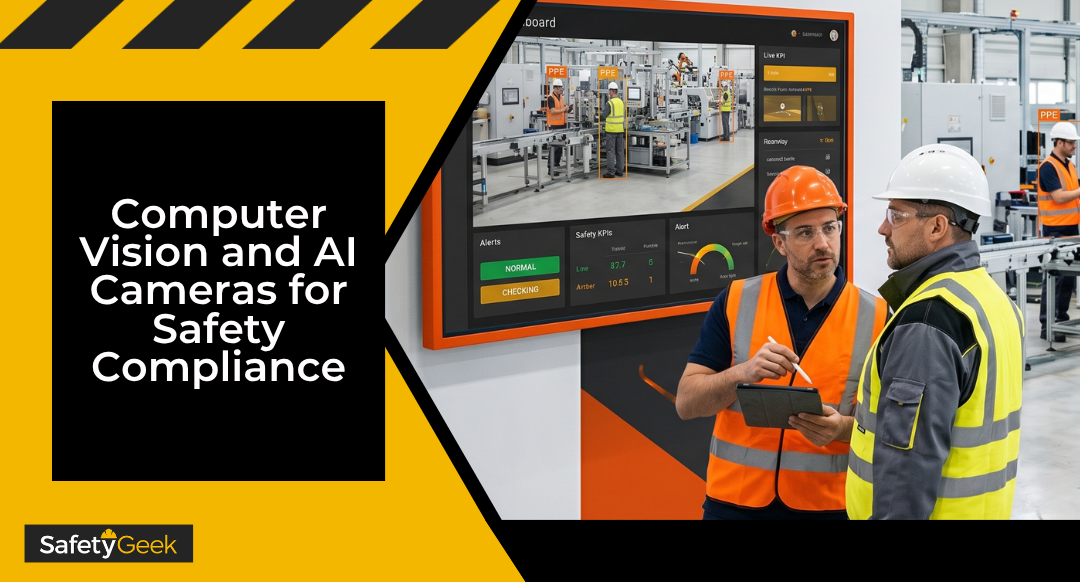
Computer vision and AI cameras for workplace safety compliance in manufacturing use existing CCTV plus machine learning to spot PPE gaps, restricted-zone entries, and near misses in real time. The right setup catches the small stuff before it becomes a recordable, gives you data your CFO actually understands, and frees your floor walks for coaching. The catch… it only works if you roll it out with your people, not on top of them.Computer vision and AI cameras for workplace safety compliance in manufacturing are no longer a Silicon Valley demo… they’re sitting on plant floors right now, watching forklift lanes and PPE zones in real time. The technology takes the camera feeds you already have, layers machine learning on top, and flags unsafe conditions the second they happen. Used well, it gives you a second set of eyes that never blinks, never has a bad Monday, and never plays favorites. And here’s the thing… most safety leads I talk to are skeptical, and they should be. You’ve been pitched “game-changing” technology before, watched it sit in a corner unused, and taken the heat when the floor still didn’t follow the rules. So before you drop a single dollar, you need to know what this tech actually does, what it costs in trust as well as cash, and exactly where it fits inside your safety program.
Key Takeaways
- Computer vision turns existing cameras into a real-time PPE and hazard observer that runs 24/7 without paying overtime.
- Documented results include up to a 55% reduction in PPE non-compliance and a 60% drop in near misses within 90 days of deployment, according to vendor case studies.
- It belongs inside your Safety Management Cycle as a Coach & Observe tool, not as a replacement for floor walks or supervisor coaching.
- Privacy and trust are bigger risks than cost. Roll it out the wrong way and your culture goes backward fast.
- The best pilot starts with one hazard and one zone, runs for 60-90 days, and ties to a specific business number, not a vague “improve safety” goal.
What Computer Vision Actually Does on the Manufacturing Floor
Computer vision is a type of AI that lets a camera “see” specific things… a missing hard hat, a person inside a forklift’s swing radius, a hand near a pinch point, a chemical drum without secondary containment. The software is trained on thousands of images, so it learns what compliance and non-compliance look like inside your specific environment. When it spots a violation, it triggers an alert in real time and logs the event with a timestamp and a clip. That last part is where most safety leads start paying attention. You’ve spent years asking for better data and getting injury counts that arrive a quarter too late. AI camera safety monitoring in manufacturing gives you leading indicators… behaviors and conditions, not bodies on the floor. The five jobs computer vision does well right now:- PPE detection – hard hats, safety glasses, hi-vis, gloves, hearing protection in posted zones
- Restricted zone monitoring – people entering forklift lanes, robotic cells, energized work areas, or marked danger zones
- Ergonomic flagging – lifting posture, twisting motions, repetitive reach above shoulder height
- Near-miss capture – pedestrian-vehicle close calls, line-of-fire events, slips before they become falls
- Spill and housekeeping – liquid on floors, blocked exits, misplaced pallets in egress routes
The Real ROI of AI Camera Safety Monitoring in Manufacturing
Manufacturing reported around 220,000 nonfatal injuries in 2024 at a rate of about 2.7 per 100 full-time workers, well above the private-industry average of 2.3. That comes from BLS data on 2024 workplace injuries and illnesses. The NSC Injury Facts industry profiles show the same pattern… manufacturing carries elevated rates compared to most sectors. Those are the numbers that fund AI vision pilots. The pitch to the C-suite is direct… a single lost-time injury averages well into the five figures when you stack workers’ comp, OSHA penalties, downtime, retraining, and quality fallout. Prevent two of those a year and the system pays for itself before the warranty runs out. Vendor data from deployed manufacturing systems reports the following ranges in the first 90 days:| Metric | Reported Range | How You Use It |
|---|---|---|
| PPE non-compliance events | 40-55% reduction | Track by zone and shift to find your worst supervisor coverage gaps |
| Near-miss incidents | 50-60% drop | Pre-injury leading indicator your CFO actually reads |
| Restricted-zone intrusions | Up to 75% reduction | Justify engineering controls or new traffic patterns with data |
| Pedestrian-vehicle close calls | 50% drop | Replace anecdotal forklift complaints with a dashboard |
| Time-to-value | Under 90 days | Fits a single budget cycle for approval |
Where Computer Vision PPE Detection Fits in Your Safety Management Cycle
The Safety Management Cycle has five phases… Identify, Develop, Implement & Train, Coach & Observe, and Analyze. Computer vision PPE detection slots cleanly into two of those phases and feeds the other three. Drop it in the wrong place and it becomes the next dusty initiative on your shelf. Coach & Observe is where the tech does its primary work. It runs continuous, unbiased observations across every shift and every zone, then routes alerts to the supervisor in that area. The supervisor walks over and has the conversation in real time… that’s coaching, not policing. Build the muscle in your front-line leaders and you scale up what good effective safety observation looks like in your facility. Analyze is where the second value layer lives. Every event becomes a data point. You can sort by shift, line, supervisor, day of week, time of day, and PPE type, and the patterns jump out fast. That’s how you find the broken process that’s making non-compliance the easier choice for your team. From there the cycle restarts. You feed the patterns back into Identify (where are we losing?), Develop (what control do we need?), and Implement & Train (what behavior do we need to teach?). The camera doesn’t run your program. It tightens the loop your program is already running.THE ALL-ACCESS PASS RESOURCE PAGE
Get all the FREE templates, safety management resources, PDFs, spreadsheets, and more...
Privacy, Trust, and Employee Buy-In (the Part Vendors Don’t Talk About)
This is where most rollouts quietly fail. Computer vision feels like surveillance to your team, and if you handle it the wrong way, you’ll watch trust drop faster than your near-miss numbers. And here’s the thing… they’re not entirely wrong to be nervous. The system is watching them. You can argue the intent is safety all day long, but the way they experience it is what matters. Three rules to handle this the right way:- Co-create the rollout with employees. Bring a small group of operators and supervisors in before you sign anything. Let them ask the hard questions, shape the policy, and review the alert flow.
- Be transparent about what the system does and does not capture. Most systems store short event clips, not continuous video. Some blur faces. Some keep data 30 days, then delete. Put it in writing and post it where they work.
- Never use the data for discipline. The moment that happens, the system becomes a witch hunt and your culture takes a five-year hit. Use it to coach, to fix systems, and to celebrate trends, not to write people up.
How to Evaluate Machine Vision Workplace Safety Tools for Your Facility
Don’t start with the technology. Start with a single hazard your floor walks keep flagging and your numbers keep ignoring. That’s the pilot. A practical evaluation framework:- Pick one hazard, one zone, one shift. Maybe it’s hard-hat compliance in the receiving dock on second shift. Narrow scope means clean data.
- Set a baseline number first. Do a manual observation count for two weeks. Without a baseline, you can’t prove ROI later.
- Match the use case to OSHA exposure. The OSHA top 10 most-cited standards list tells you where citations and injuries cluster. If your top exposure is respiratory protection or eye and face protection, prioritize PPE detection. If it’s powered industrial trucks, prioritize pedestrian-vehicle detection.
- Ask vendors for a 60-day pilot, not a one-year contract. Reputable vendors will agree. The ones that won’t are not the ones you want.
- Demand integration with your existing systems. If the alerts don’t land in the supervisor’s hand the way the rest of their workflow already does, no one will use it.
- Measure two things at the end of the pilot. Did the leading indicator move (PPE compliance rate, near-miss count)? And did your supervisors actually use it for coaching, or did the alerts pile up unread?
Frequently Asked Questions About AI Cameras for Manufacturing Safety
Does OSHA require or regulate AI safety cameras?
No, OSHA does not require AI camera systems and has no standard specific to computer vision. The data you collect can support compliance with existing PPE, lockout/tagout, and powered industrial truck standards. State privacy laws and union contracts may govern how you deploy cameras, so check those first.How accurate is computer vision PPE detection?
Mature systems report 90 to 98 percent accuracy on hard hat, hi-vis, and safety glasses detection in well-lit environments. Accuracy drops in dim light, with non-standard PPE, or with unusual angles. Run a tuning period of 30 to 60 days to train the model on your specific facility before scoring its performance.What does an AI safety surveillance manufacturing setup cost?
Most systems run on a per-camera subscription model in the range of $50 to $200 per camera per month, plus a setup fee. Hardware costs drop sharply if you can use existing IP cameras. A 20-camera pilot typically lands between $15,000 and $50,000 for the first year.Can employees refuse to work under AI camera monitoring?
In non-union, at-will employment states, employers generally have the right to monitor work areas, though policy and notice rules vary. In union environments, monitoring is usually a mandatory subject of bargaining. Either way, the smart move is to bring employees into the rollout early so refusal never becomes the conversation.Will AI cameras replace safety managers or supervisors?
No. Computer vision handles observation at scale. It cannot investigate root causes, coach employees, build relationships with operations, or influence executive decisions. The technology raises the value of the safety manager by freeing you from clipboard observations so you can do the leadership work that actually changes the culture.How do I justify the investment to a CFO?
Lead with cost avoidance, not safety language. Pull your past three years of workers’ comp claims, OSHA penalties, and lost-time injury costs in the target zone. Show how a 50 percent reduction in the leading indicator translates to a specific dollar value. According to BLS fatal injury data for 2024, manufacturing remains an above-average risk environment, and that risk has a price tag.Now It’s Your Turn
Computer vision and AI cameras are the most useful piece of technology to hit safety management in a decade, but only if you treat them as an extension of your program, not a replacement for it. The tech sees behaviors. You still own the system, the coaching, and the culture. Three things to do this week:- Pick your one hazard. Walk your floor and identify the single zone and single behavior where you’ve been pushing the same rock uphill for a year. That’s your pilot candidate.
- Pull your baseline numbers. Don’t sign a contract or even take a demo until you have two weeks of manual observation data on that zone.
- Talk to your people first. Loop in two operators and one supervisor before you talk to a single vendor. Their questions will shape the rollout that actually works.
Hi, I'm Brye (rhymes with sky)! I am a self-proclaimed safety geek with two decades of general industry safety experience. Specializing in bringing safety programs to a world-class level and building a safety culture, I have trained and coached many safety managers, just like you, on how to effectively manage workplace safety in the real world. I would love to help you too.